
Before purchasing an Everybody membership, please could you clear your browsers data history as an error may occur and payment will be taken but you won’t have a record created in our system.
Here are the 4 main browsers to show where this is:
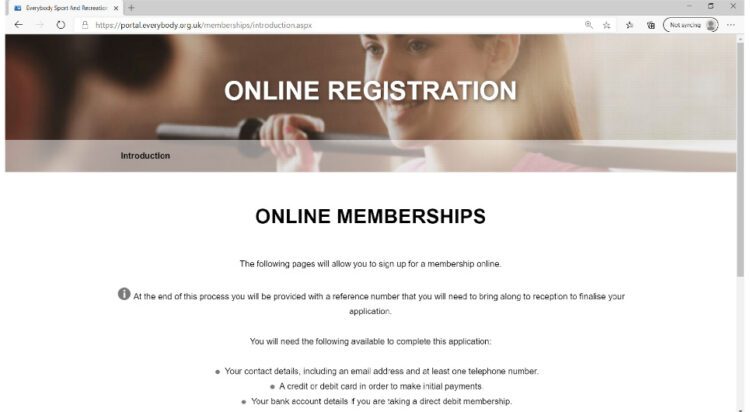
Click on the … Top right hand corner
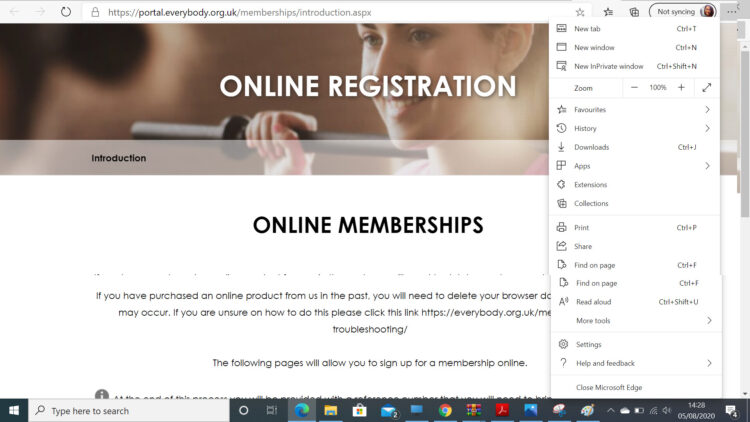
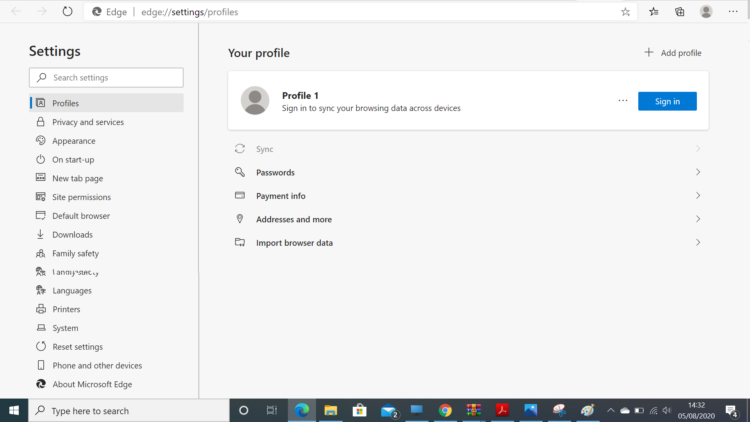
Click on settings and this screen will appear
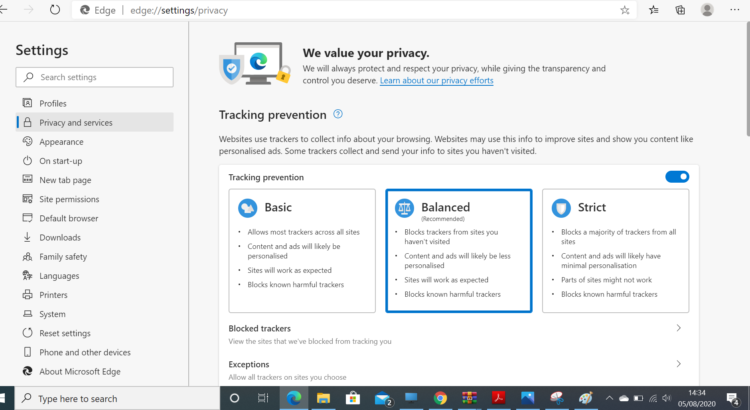
Click on Privacy and services this will show this screen
Now click on Choose what to clear, this to the right of Clear browsing history
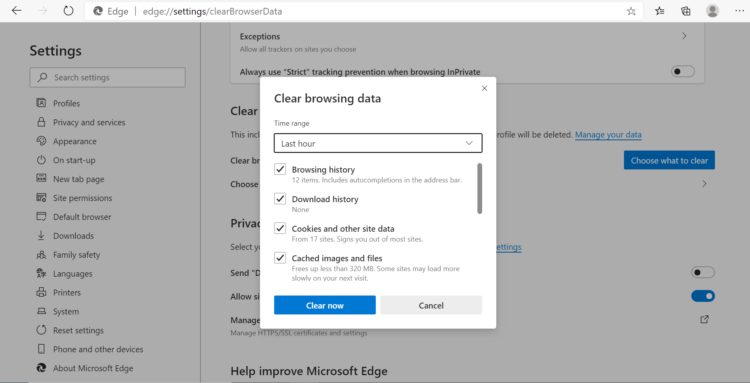 Once on this screen click Clear Now
This clears all the old cached data from your browser
On Firefox click 3 lines in the top right-hand corner it is called options menu
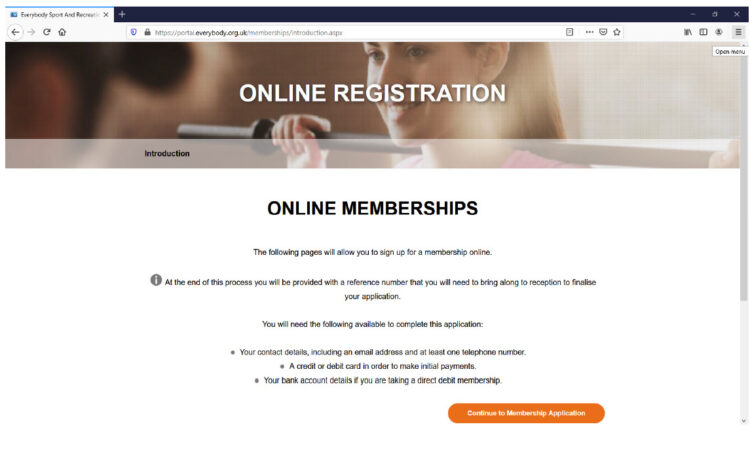
This is the menu you will get
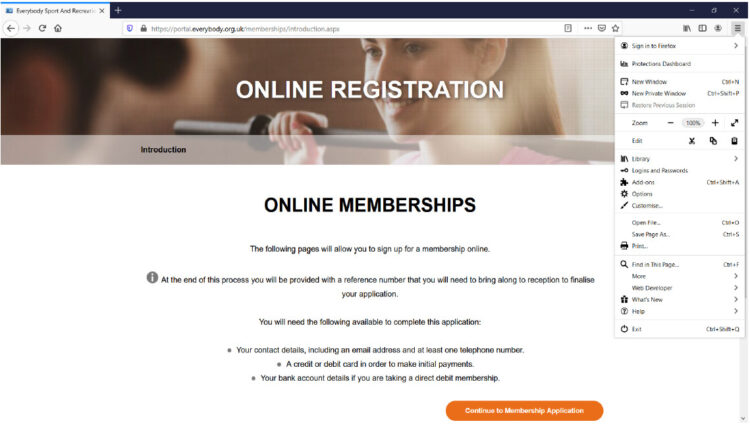
Now Click on options
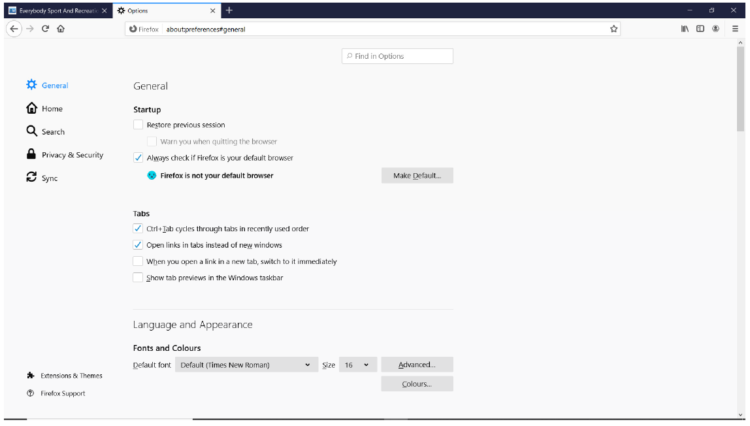
Click on Privacy and Security
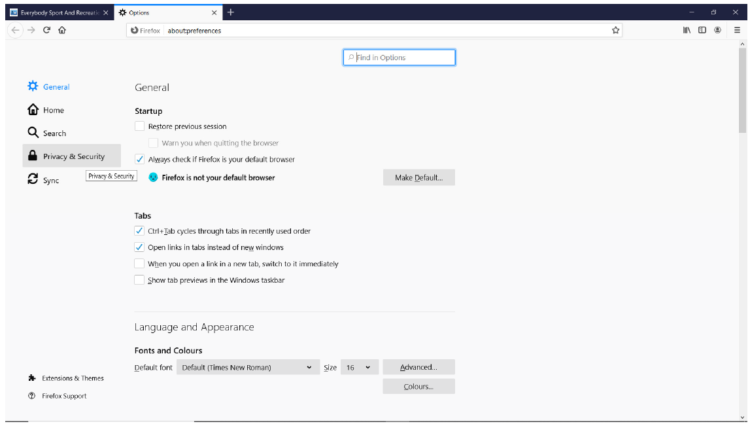
Click Clear Data
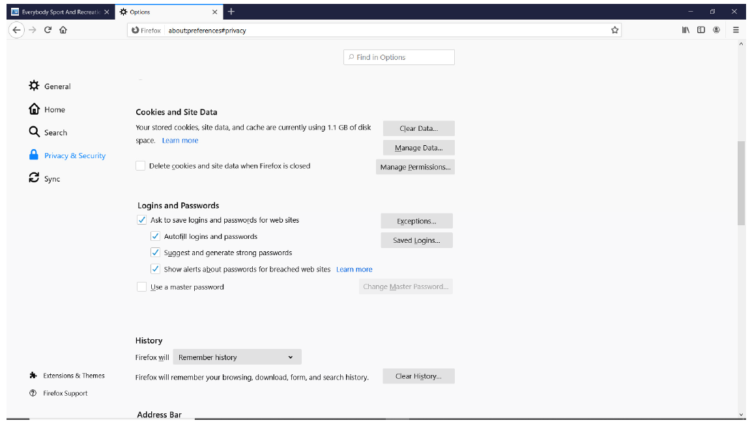
Then Click Clear
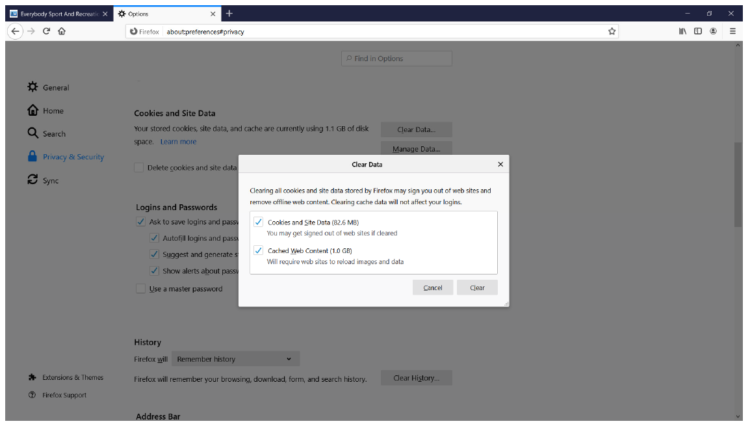
Now click Clear Now
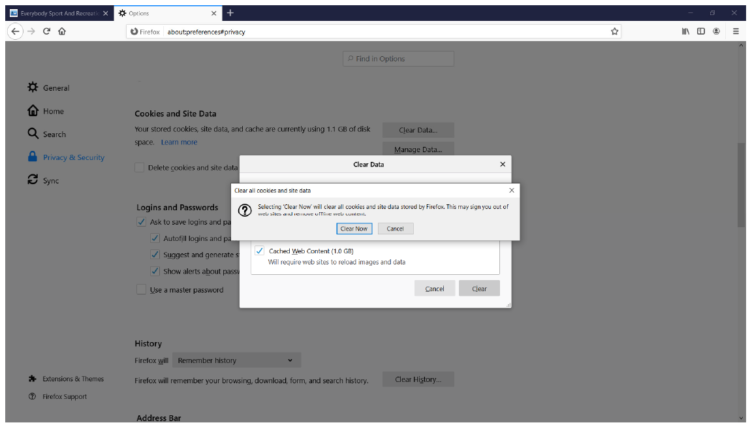
Click on the 3 dots in the top right hand corner
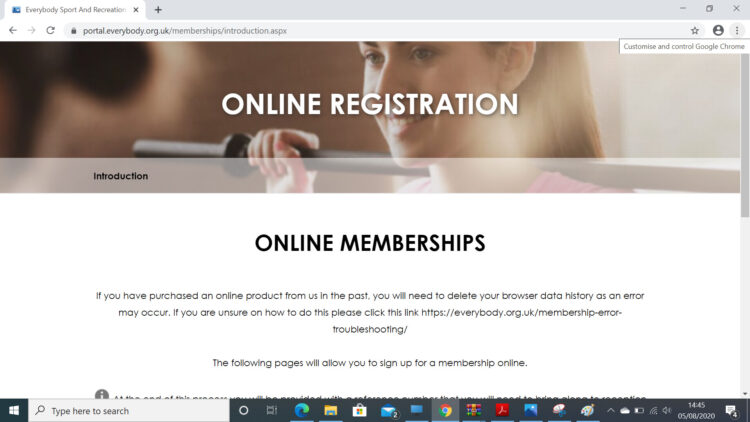
This screen will appear
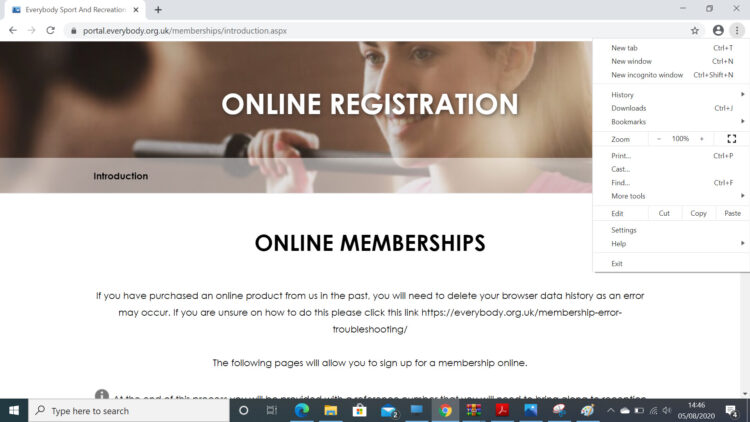
Click on settings
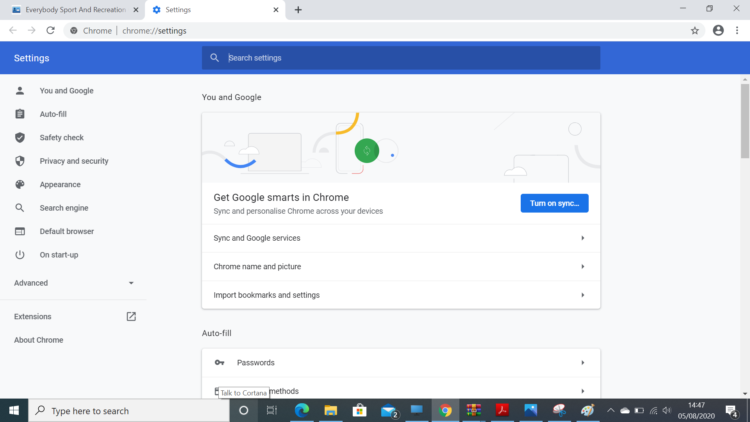
Then click Privacy and Security
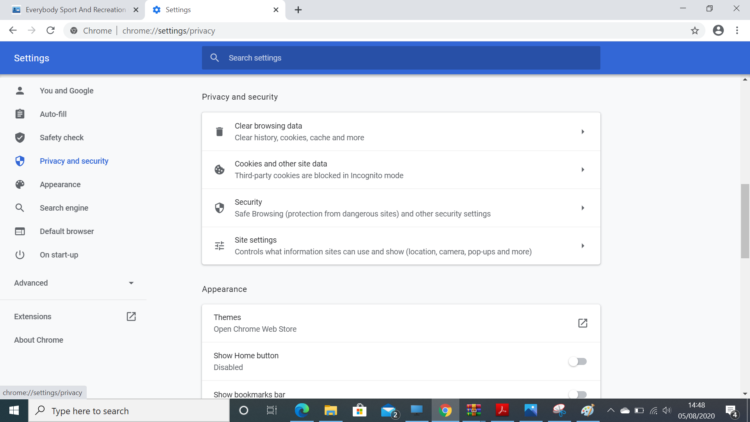
Now click on Clear Browsing History
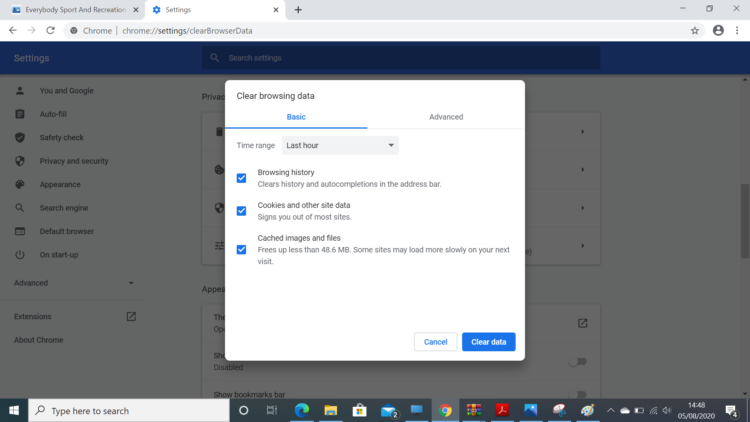
Then Clear Data
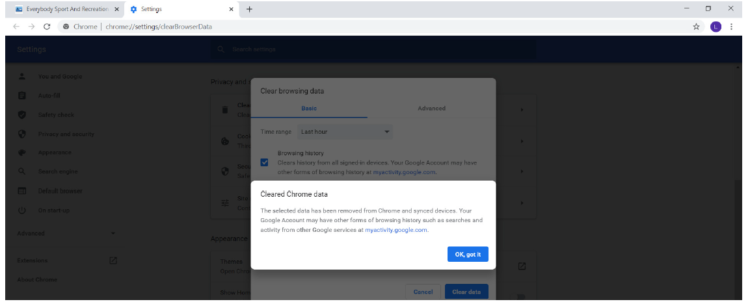
Then Click OK, got it
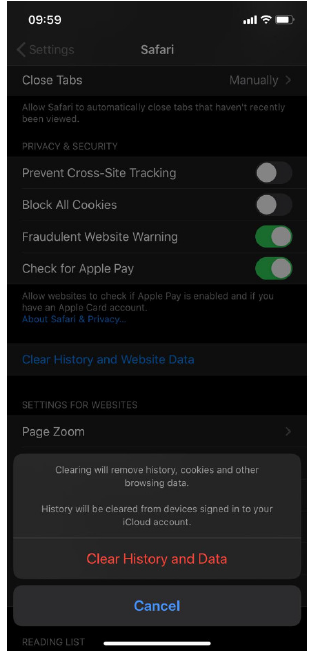
Click on the Setting button and scroll down to safari
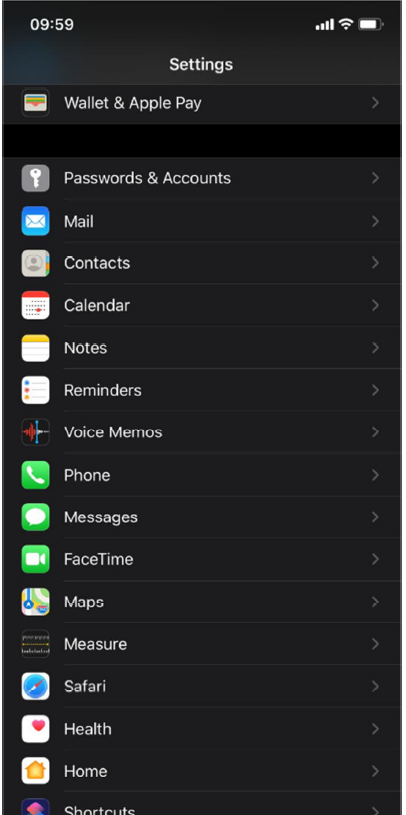
Click on safari and this appears
Then press Clear History and Website Data
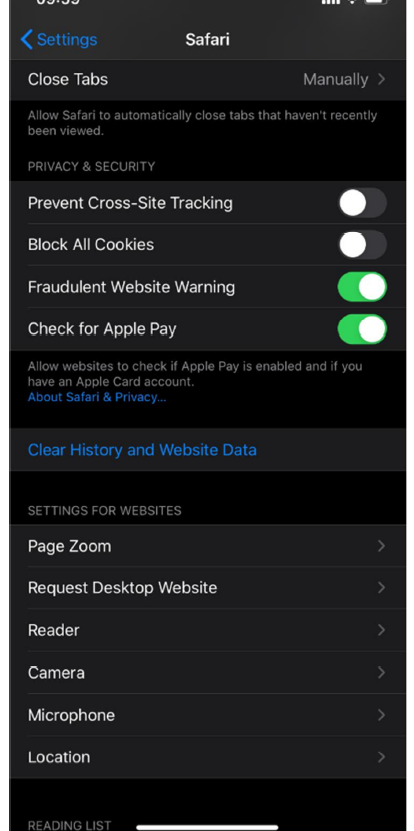
Then press Clear History and Data
Chrome Mobile
The three dots top right
Scroll down to settings
Scroll down to Privacy
Clear Browsing data
Clear Data
Firefox Mobile
The three dots top right
Scroll to Privacy
Clear Private data on Exit
Select Cache
This will clear on your phone
For Apple MAC
1. In the Safari app on your Mac, choose History > Clear History, then
click the pop-up menu.
2. Choose how far back you want your browsing history cleared.